Technical Implementation (Part 2): Fully Automated File Creation and Intelligent Document Handling
From Register Retrieval to the Finished Actaport File: XJustiz Parsing, Duplicate Logic, and ZIP Processing

January 29, 2026

- Start via Webhook: How a form trigger controls the complete mandate setup
- Intelligent Linking: How n8n checks, creates, and automatically assigns contacts to the new file
- Document Pipeline: Automatic download, unpacking (ZIP/PDF), and direct storage in the Actaport file
In the first part of our series, we described why we chose a cloud-native architecture with Apify, n8n, and Actaport. The response was great – many colleagues are asking: "What does that look like specifically?"
This second part describes the technical implementation of the data pipeline. We show not only how master data is imported but go one step further: the fully automated creation of a file, including the linking of all participants and the correct filing of the register documents retrieved automatically from the commercial register.
Step 1: Data Acquisition via Form Trigger
The starting point of the automation is an n8n Form Trigger. This allows the data input to be decoupled from the actual processing logic.
The form only captures the parameters necessary for the API retrieval:
- Local Court (Amtsgericht): Standardized selection via dropdown.
- Register Number: Numerical input.
- Clerk: Assignment for later task distribution in Actaport.
- Create File: Boolean value (checkbox). If this is set, the process does not stop at the contact but creates the associated file.
After submitting the form, the data is passed to an HTTP request that initiates the main workflow via webhook.
Video: n8n Form Trigger – Data capture for register retrieval.
Step 2: Processing Register Data (XJustiz)
The crawler delivers data in the XJustiz standard as XML. For further processing in the Actaport API, a transformation is necessary because raw values such as the legal form code 221110 cannot be interpreted directly.
Processing takes place in a JavaScript code node in n8n, which fulfills two central functions:
- Parsing: Iteration through the XML tree structure (e.g.,
tns:basisdatenRegister) to extract share capital, company object, and address data. - Mapping: Comparison of XJustiz codes with an internal mapping table. For example, the code
111000is translated into the string "OHG" to meet the requirements of the Actaport data model.
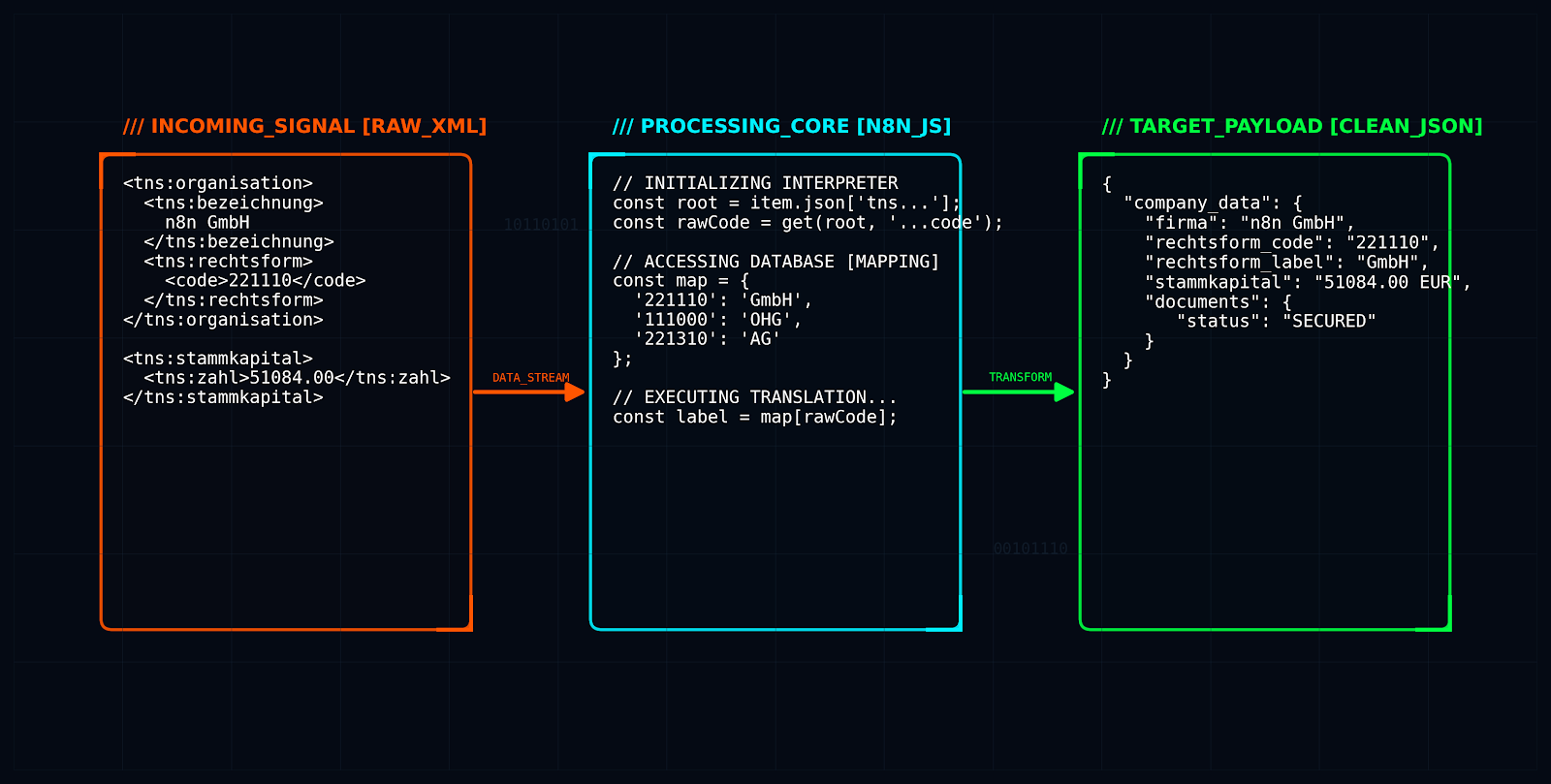
Figure: From raw XML via the n8n code node (mapping) to the cleaned JSON payload.
Step 3: Creating Contacts and Avoiding Duplicates
The foundation of every file is clean contact data. To avoid redundancies, the workflow checks whether the person or company already exists before each creation.
The process follows this scheme:
- API Query (GET): Search in the Actaport database for existing entries (filtering by name and location).
- Conditional Logic (IF node):
- Case A (Record found): The ID of the existing contact is extracted.
- Case B (No hit): A new contact is created via POST request; the newly generated ID is returned.
- Data Normalization: Regardless of the path, the valid
kontakt_idis stored in a uniform variable.
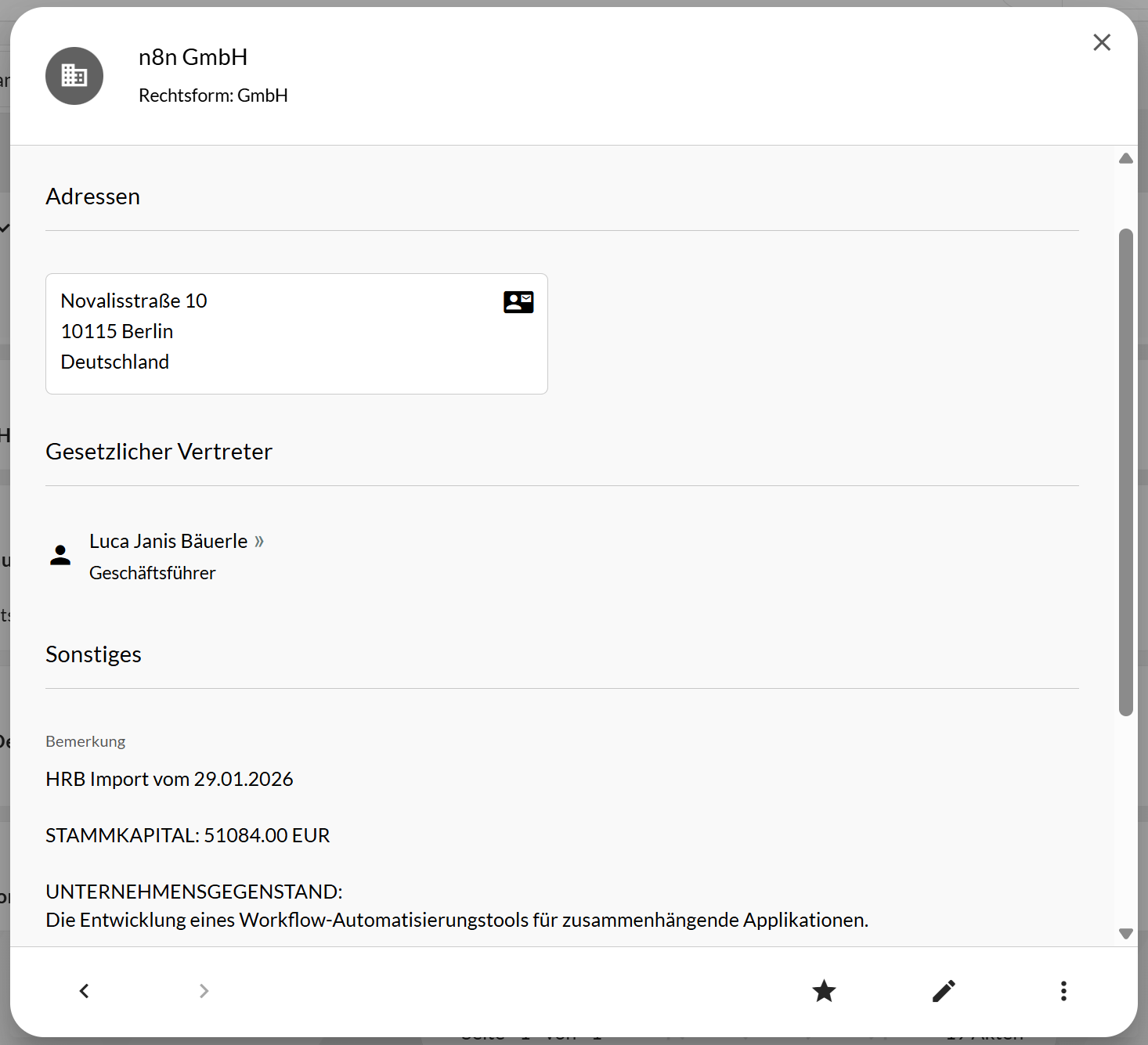
Created or updated contact in Actaport.
Step 4: Automatic File Creation
This is where the actual added value of the extension lies: If the "Create File" checkbox has been activated, the workflow uses the previously determined kontakt_id to create a new file.
The workflow performs the following actions via Actaport API (POST /v1/akten):
- Assignment: The company (identified by its ID) is linked to the new file as a "client."
- Metadata: The file automatically receives a designation (e.g., "HR-Import: [Company Name]"), tags, and the clerk selected in the form.
- Return Value: The API returns the new file number (e.g., "123/24"), which is essential for the next step.
Step 5: Document Retrieval and Storage in the File
An empty file is of little help. Therefore, in the last step, the workflow downloads the relevant register documents (register excerpt, shareholder list, articles of association) and saves them directly in the document area of the newly created file.
In doing so, n8n solves a technical problem of the Commercial Register: inconsistent file formats.
- MIME Type Check: An IF node analyzes whether a file is delivered as a PDF or ZIP.
- Unpacking (Unzip): ZIP archives are automatically unpacked to extract the contained PDF.
- Upload: Via the endpoint
POST /v1/akten/{file_number}/dokumente, the cleaned PDFs are uploaded directly to the "Handelsregister" subfolder of the file.
The Result
At the end of the process stands a completely created file, ready for processing.
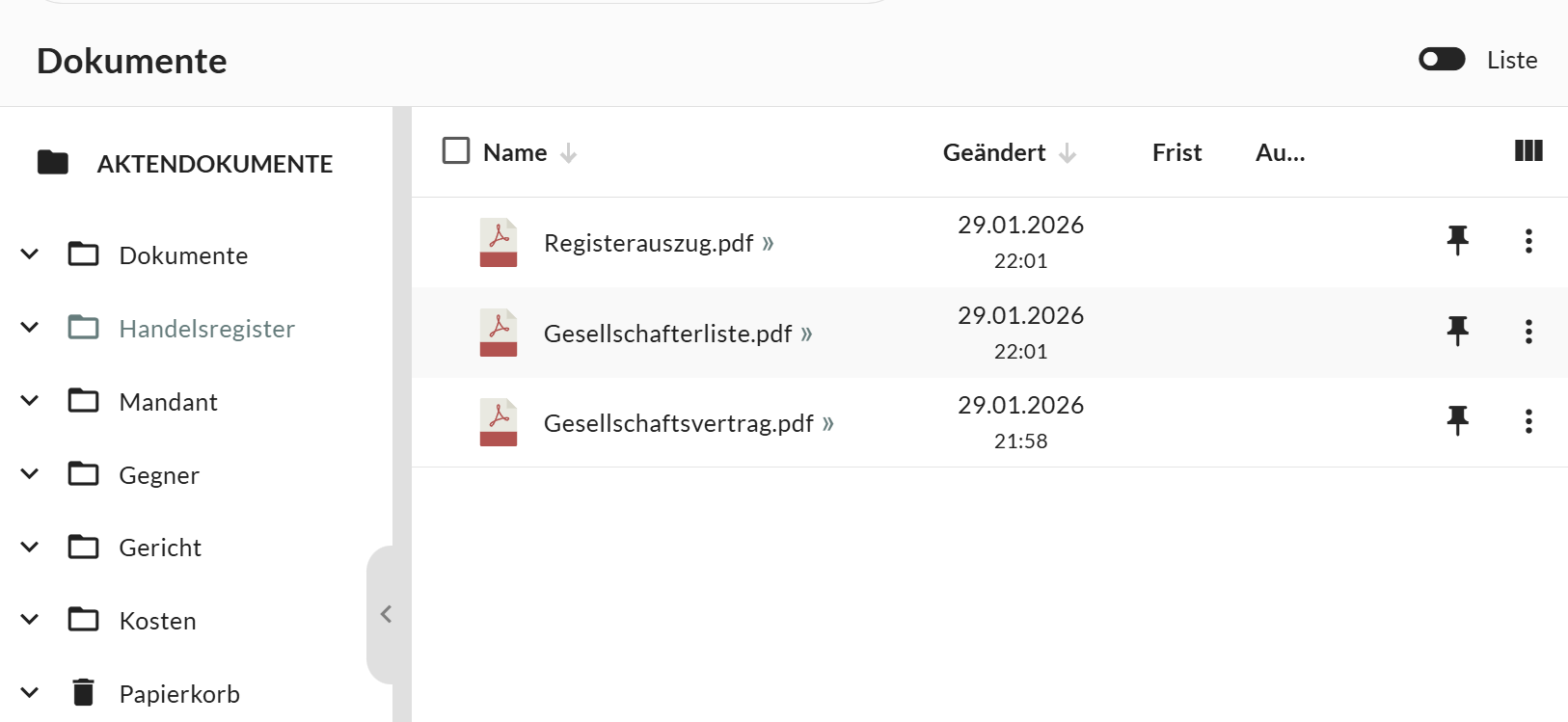
The finished file: client linked, clerk assigned, and all documents filed in the folder.
The clerk finally receives an email confirmation with a link to the file and a status report. This demonstrates how modern API architectures not only move data but can fully automate complex legal workflows.
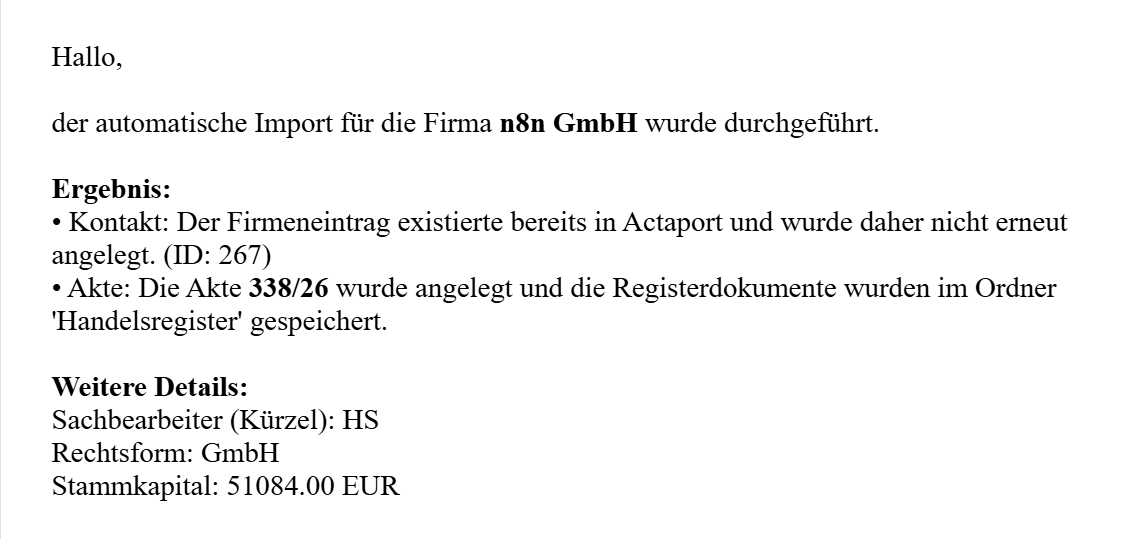
Email confirmation: The import including file creation was successful.
Conclusion: From Administrator to Designer
This deep dive into our "engine room" shows that Legal Tech today is much more than just digitizing paper files. By intelligently linking APIs (Apify & Actaport) and process logic (n8n), we have almost completely eliminated an administrative time-eater – mandate setup in corporate law.
The gain lies not only in the time saved (minutes instead of hours) but above all in the quality: no typing errors in company/names, addresses, or managing director assignments, no forgotten documents, and a uniform data structure across all mandates. Assistants and lawyers are transformed from "data typists" to process designers who can focus on what they are passionate about: legal advice.